Computer Basics & Office Productivity Course Training in Hyderabad
Start your computer journey at Nexson IT Academy Hyderabad. Perfect for absolute beginners with zero experience. Become job-ready in just 1 month with our patient, step-by-step training.
Course
Computer Basics & Office Productivity
Training Mode
Classroom & Online
Level
Beginner to Advanced
Practical Learning
Hands-on Training
Best Computer Basics & Office Productivity Course Training in Hyderabad
Looking for the best Computer Basics training in Hyderabad? Nexson IT Academy offers the most beginner-friendly computer literacy program in the city. Our 1-month course is designed for people with absolutely zero computer experience — we start from scratch and make you job-ready.
In 2026, digital literacy is no longer optional — it is a basic life skill. Whether you need to apply for jobs online, manage your finances, communicate via email, or simply use a smartphone, computer skills are essential. Our program ensures you are not left behind in the digital age.
What makes Nexson special for beginners is our patient, supportive teaching approach. We understand that learning computers for the first time can feel overwhelming. Our trainers use simple language, repeated demonstrations, and ample practice time to ensure every student gains confidence.
At just ₹5,000, this is the most affordable and comprehensive Computer Basics course in Hyderabad — with 100% placement assistance for data entry, office assistant, and computer operator roles.
Computer Basics Course – Classroom Training at Ameerpet
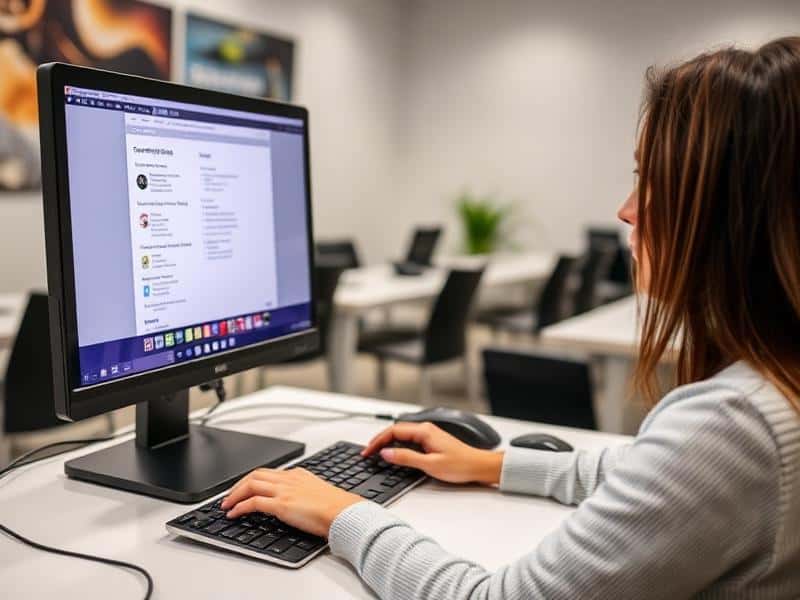
For beginners, we strongly recommend classroom training at our Ameerpet center where you get hands-on practice on dedicated computers. Our lab is equipped with the latest hardware and software to provide an ideal learning environment.
Each student gets their own workstation during class. Batches are limited to 12 students maximum to ensure the trainer can give personal attention to every learner.
Ready to Start Your Journey?
Book a free demo, download the syllabus, or talk to a career advisor today.
Top 6 Features of Computer Basics Training
Computer Fundamentals
Hardware, software, OS basics, and file management
Professional Typing
Touch typing, speed building, and data entry accuracy
MS Office Suite
Word, Excel, PowerPoint essentials for job readiness
Internet & Email Mastery
Web browsing, Gmail/Outlook, cloud storage, online safety
Computer Literacy Certificate
Industry-recognized certificate upon course completion
100% Placement Support
Resume building, interview prep, and job assistance
Computer Basics Program Overview
Our Computer Basics program transforms absolute beginners into confident computer users in just 1 month. The 8-module curriculum covers everything from turning on a computer to creating professional documents and managing emails.
Program Structure:
Duration & Schedule
- Duration: 1 Month (Daily 2-Hour Classes)
- 8 Beginner-Friendly Modules
- Typing Speed Target: 35+ WPM
- MS Office (Word, Excel, PowerPoint) Included
- Internet & Email Proficiency
Who Should Join
- Students with no computer experience
- Homemakers returning to workforce
- Senior citizens learning digital skills
- Job seekers needing basic computer skills
- Anyone preparing for government computer tests
Software & Tools Covered
Windows OS
MS Word
MS Excel
MS PowerPoint
Google Chrome
Gmail
Computer Literacy Certification
Computer Literacy & Office Productivity Certificate
Industry-recognized certificate validating your computer fundamentals, typing proficiency, MS Office skills, and digital literacy.
Learning Modes for Computer Basics
Classroom Training
- Face-to-face interaction
- Hands-on lab environment
- Virtual labs* also provided
- Networking opportunities
- Immediate doubt clearing
- Location: Ameerpet, Hyderabad
Live Online Training
- Live instructor-led sessions
- Learn from anywhere
- Interactive Q&A
- Virtual labs* also provided
- Session recordings
- Same curriculum as classroom
Self-Paced Learning
- Pre-recorded videos
- Learn at your own pace
- Lifetime access
- Mentor support
- Practice assignments
Why Choose Nexson for Computer Basics Training
Patient, Beginner-Friendly Trainers
Trainers experienced in teaching absolute beginners and senior citizens
Dedicated Computer Lab
Every student gets their own workstation during class
Most Affordable in Hyderabad
₹5,000 for the complete program — no hidden charges
Small Batch Size (Max 12)
Personalized attention for every student
100% Placement Assistance
Job support for data entry, office assistant, and operator roles
Government Exam Preparation
Typing test and computer skill test preparation included
Advantages of Computer Basics Training
Gateway to All Careers
Computer literacy is the foundation for every IT and non-IT career path
Job-Ready in 1 Month
The fastest path from zero computer skills to employment
Essential Life Skill
From banking to shopping to communication — computers are everywhere
Hands-on Projects
Professional Resume & Cover Letter
Create your own resume and cover letter in Microsoft Word. 100% placement assistance. Industry expert trainers. Live projects included. Book a free demo today.

Monthly Budget Tracker
Build a personal budget spreadsheet in Microsoft Excel
More Projects You'll Complete:
- Resume & Cover Letter Creation in Word
- Personal Budget Spreadsheet in Excel
- Self-Introduction Presentation in PowerPoint
- Gmail Account Setup & Email Management
- Google Drive File Organization
- LinkedIn Profile Creation
Career Path After Computer Basics Training
Computer Operator
Typing, Office, Filing
Data Entry Operator
Typing, Excel, Accuracy
Office Assistant
Office Suite, Email, Filing
Receptionist
Computer, Communication, Email
Store Keeper / Inventory Clerk
Excel, Data Entry, Records
Digital Literacy Industry Insights 2026
Digital literacy is no longer optional — it is a fundamental requirement for participation in modern society and the workforce.
India has over 900 million internet users in 2026, making digital literacy essential for daily life and work.
Over 75% of all job openings in India — including non-IT roles — require basic computer proficiency.
Computer literate freshers in Hyderabad earn ₹1.5-4 LPA in data entry, office assistant, and operator roles.
With dedicated practice, complete beginners become job-ready computer users in just 1 month.
Skills You Will Learn
Every essential computer skill needed for employment and daily digital life in 2026.
Computer Fundamentals
- Hardware identification & troubleshooting
- Windows OS navigation
- File & folder management
- Software installation
- System settings
Typing & Data Entry
- Touch typing (35+ WPM)
- Numeric keypad proficiency
- Data entry accuracy (95%+)
- Keyboard shortcuts mastery
MS Office Basics
- Word document creation
- Excel spreadsheet basics
- PowerPoint presentations
- Print & page setup
Internet & Digital Skills
- Web browsing & searching
- Email management (Gmail/Outlook)
- Cloud storage (Google Drive)
- Online safety & passwords
- LinkedIn & social media basics
Job Roles After Computer Basics Training
Computer literacy opens the door to entry-level positions across every industry in Hyderabad.
Computer Operator
Operate computers for data processing, printing, and office tasks in companies and government offices.
Data Entry Operator
Enter, verify, and manage data in databases and spreadsheets. High demand in BPOs, banks, and hospitals.
Office Assistant
Support daily office operations with document management, email handling, and basic administrative tasks.
Store Keeper / Inventory Clerk
Manage inventory records, stock tracking, and procurement documentation using computers.
Prerequisites for Computer Basics Course
This course is designed for absolute beginners. Zero experience required.
Required Prerequisites
- Willingness to learn and practice daily
- Basic ability to read English (or Telugu/Hindi)
Helpful But Not Mandatory
- Having a smartphone (for practice at home)
- Basic familiarity with a keyboard
Not Required
- Prior computer experience of any kind
- Any educational qualification
- Technical background
- English fluency
Ideal For
- Complete beginners with zero computer experience
- Senior citizens learning digital skills
- Homemakers wanting to re-enter the workforce
- Students preparing for government computer tests
- Anyone wanting basic digital literacy
Computer Basics Training in Hyderabad – Location
Nexson IT Academy's Computer Basics training center at Ameerpet, Hyderabad provides a comfortable learning environment for beginners. Every student gets a dedicated computer with the latest Windows OS and MS Office installed.
Our Ameerpet center is located just 2 minutes from Ameerpet Metro Station, making it easily accessible from all parts of Hyderabad including KPHB, Madhapur, Kukatpally, SR Nagar, and Secunderabad.
Hyderabad's growing economy creates thousands of entry-level computer jobs every month. Companies, government offices, hospitals, banks, and retail stores all need computer-literate employees for daily operations.
Training Locations in Hyderabad
- Main Center: Ameerpet - 2 min from Metro Station
- Easy access from KPHB, Madhapur, Hitech City, Kukatpally
- State-of-the-art training facility with modern labs
Why Computer Basics Training in Hyderabad?
- •Hyderabad has the highest demand for data entry operators in South India
- •Government sector actively hiring computer literate candidates
- •BPO & IT support companies in Gachibowli hiring freshers monthly
- •Banking sector requires computer skills for all front-office roles
- •Nexson is the most affordable Computer Basics training in Ameerpet
Start Your Computer Basics Career in Hyderabad
Join 5000+ students trained in cybersecurity at Nexson IT Academy
Complete Guide to Computer Basics Training in Hyderabad 2026
Everything beginners need to know about learning computers and starting a career in Hyderabad.
Why Computer Basics Training Is Essential in 2026
In 2026, computer literacy is as fundamental as reading and writing. From applying for jobs online to managing bank accounts, booking train tickets to filing taxes — every daily activity now requires basic computer skills. Without these skills, individuals are effectively excluded from the digital economy.
For job seekers in Hyderabad, even the most basic positions now require computer knowledge. Data entry operators, office assistants, store keepers, and receptionists all need to use computers daily. Our 1-month program ensures you go from zero to job-ready with confidence.
What Makes Nexson's Computer Basics Training Different
Unlike generic computer courses, Nexson IT Academy's program is specifically designed for absolute beginners. Our trainers are patient, supportive, and experienced in teaching people who have never touched a computer before — including senior citizens and homemakers.
We focus on practical skills that matter for employment. Instead of overwhelming beginners with theory, we teach by doing. Every class is 60% hands-on practice. By the end of 1 month, our students can confidently create documents, manage emails, browse the internet, and use MS Office.
Career Opportunities After Computer Basics Training
Hyderabad offers excellent entry-level opportunities for computer literate freshers. The city's BPO sector, banking industry, government offices, and retail sector consistently hire candidates with basic computer skills.
Starting salaries range from ₹1.5 LPA for computer operators to ₹3.5 LPA for data entry operators and ₹4 LPA for office assistants. With experience and additional training in advanced Excel or data analytics, you can grow into higher-paying roles within 1-2 years.
Computer Basics Training Hyderabad – Frequently Asked Questions
Find answers to the most frequently asked questions about Computer Basics at Nexson IT Academy, Hyderabad.
Fast Answers
- What is the best Computer Basics course training in Hyderabad?
- Nexson IT Academy offers the best Computer Basics & Office Productivity Program in Hyderabad for absolute beginners. Our 1-month course covers computer fundamentals, typing, MS Office, internet, and email with 100% placement support.
- What is the Computer Basics training fee in Hyderabad?
- The Computer Basics training fee at Nexson IT Academy is ₹5,000 — the most affordable computer course in Hyderabad. Flat pricing applies.
- Who should join the Computer Basics course?
- Anyone new to computers can join — students, homemakers, retirees, job seekers, and professionals needing basic skills. No prior computer experience is required.
- How long is the Computer Basics training?
- The complete Computer Basics course at Nexson IT Academy is 1 month long with daily 2-hour classes. Weekend batches are also available for those with weekday commitments.
Still have questions? Contact Nexson IT Academy at +91 8886662875 or WhatsApp us for answers. Our training advisors are available 7 AM – 9 PM, 7 days a week.
Book Free Demo Class / Contact Computer Basics Training Advisor / WhatsApp Support
Have questions about our Computer Basics training program? Our team is here to help! Book a free demo class, speak with a career advisor, or reach out via WhatsApp.
Call Us
+91 8886662875
+91 8019270281
Email Us
info@nexsonit.com
Visit Us
#201, 2nd Floor, KVR Enclave, Above Bata Showroom, Ameerpet, Hyderabad - 500016
Download Computer Basics Course Brochure / Syllabus PDF
Get the complete Computer Basics course syllabus, batch schedules, lab details, and career guidance in our comprehensive brochure. Download now and take the first step towards your career!
Student Journey at Nexson IT Academy
Your Journey from Enquiry to Training, Skill Development & Career Preparation
At Nexson IT Academy, we guide students through every stage of their learning journey. From selecting the right course and attending expert-led training to gaining practical experience and preparing for job opportunities, we provide structured learning resources and career support to help students move forward with confidence.
- 1Enquiry & Admission
- 2Student Onboarding & Portal Access
- 3Training & Practical Skill Development
- 4Career Preparation & Job Assistance
- 5Course Completion & Certification
1Phase 1: Enquiry & Admission
- Step 1
Course Enquiry
Get in touch with Nexson IT Academy to learn about available courses and find a suitable training program.
- Step 2
Course Counselling
Understand course details, duration, training methodology, and fee structure. Get answers before you decide.
- Step 3
Course Syllabus & Content Sharing
Review the syllabus, topics covered, and course information to understand what you will learn.
- Step 4
Attend a Demo Class
Experience a demo session with the trainer, understand the teaching approach, and clarify your doubts.
- Step 5
Fee Payment & Admission Confirmation
Once satisfied with the course and demo, complete the fee payment and confirm your admission.
2Phase 2: Student Onboarding & Portal Access
- Step 6
Student Registration
Complete the registration process and provide the required details to begin your learning journey.
- Step 7
Batch Schedule & Training Details
Receive information about your batch timings, training schedule, and course commencement.
- Step 8
Course Portal Access
Access recorded training videos and learning materials to revise concepts at your own pace.
- Step 9
Task Portal Access
View assignments, complete practice exercises, and manage regular training activities.
3Phase 3: Training & Practical Skill Development
- Step 10
Expert-Led Training
Attend structured sessions and learn technical concepts through guided instruction from experienced trainers.
- Step 11
Practical Lab Access
Where applicable, access hands-on labs to practice relevant tools, technologies, and exercises.
- Step 12
Assignments & Practical Exercises
Apply your knowledge through assignments, practical exercises, and course-related projects.
- Step 13
Exam Portal & Knowledge Assessment
Practice mock tests and take assessments to identify knowledge gaps and improve preparation.
4Phase 4: Career Preparation & Job Assistance
- Step 14
Professional Resume Preparation
Create a professional resume that highlights your technical skills, projects, training, and experience.
- Step 15
LinkedIn Profile Optimization
Improve your LinkedIn profile to showcase your skills and strengthen visibility to recruiters.
- Step 16
Technical & HR Mock Interviews
Practice technical and HR questions, improve communication, and build interview confidence.
- Step 17
Job Portal Access & Latest Job Updates
Access job portal resources and receive relevant job updates to support your job search.
5Phase 5: Course Completion & Certification
- Step 18
Course Completion Certificate
Receive your course completion certificate after fulfilling the applicable completion and assessment requirements.
Your learning journey is designed to help you build knowledge, develop practical skills, and prepare for career opportunities with confidence.